My GitHub Pages
On this page
Versions
- v2A record of the redesign and technology migration of my personal website, rebuilt with AI assistance.
- v1First published
Choose a version to compare
- v2
- v1
Preface
This article records how I built a GitHub Pages site with Jekyll and the Minimal Mistakes theme. I decided to do this several years ago, but practical considerations kept me from completing it. I am glad to publish the result as my first post.
The site’s source code is available here.
Technique details
Jekyll
Following GitHub’s recommendation, I chose Jekyll as the static-site generator. The step-by-step tutorial is a good place to learn the basic concepts. For subsequent development, the Jekyll Docker image can be used to build and serve the site locally.
# Start a container from the Jekyll Docker image
# Port 4000 serves the site at http://localhost:4000
# The image also exposes port 35729
docker run -itd -p 35729:35729 -p 4000:4000 -v $HOME/workspace/sshawn9.github.io:/jekyll --name jekyll jekyll/jekyll bash

# Enter the container
docker exec -it jekyll bash

# Some commonly used commands in the Jekyll container
bundle init # Create the default Gemfile
bundle
bundle update
jekyll serve
Minimal Mistakes theme
Choosing a theme is more convenient than starting from scratch because it allows the author to focus on writing instead of spending as much time on layout and styling. I looked for an elegant theme, but many of the options that met my requirements were not free. Some useful theme directories are:
I ultimately returned to Minimal Mistakes, a widely used theme released under the MIT license. The mm-github-pages-starter template can be used to create a GitHub Pages repository.
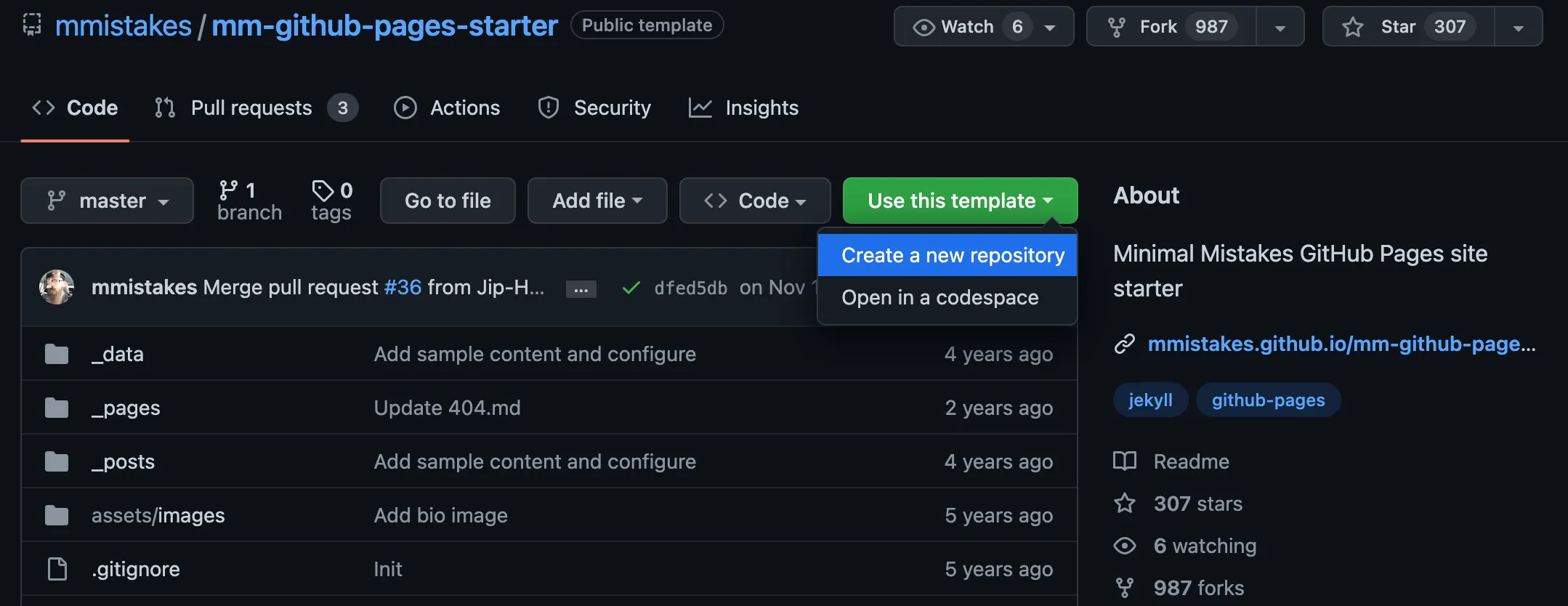
Do not overlook the template’s troubleshooting guide. When serving a site created from the template locally, the following Liquid exception may appear:

To fix it:
- Add the following lines to
_config.yml.
# Local hosting:
# Replace these values with your own settings
PAGES_REPO_NWO: sshawn9/sshawn9.github.io
repository: sshawn9/sshawn9.github.io- Add the following block to
Gemfile.
group :jekyll_plugins do
  gem "kramdown-parser-gfm"
  gem "webrick"
end
See the GitHub Metadata configuration documentation for more information. I chose to ignore the warning No GitHub API authentication could be found. Some fields may be missing or have incorrect data.
Deploying to GitHub
The Jekyll deployment documentation lists several approaches; I chose GitHub Actions. Here is my GitHub Actions deployment workflow.
More information
Favicon
Create _includes/head/custom.html; see the Minimal Mistakes example for details.
TODO
- Remove the footer containing the feed
- Try different default layouts
- Post with Table of Contents
- Add a header video, header image, or similar media
- Try a customized sidebar like this example
- Check search engine optimization
- Learn more about front matter